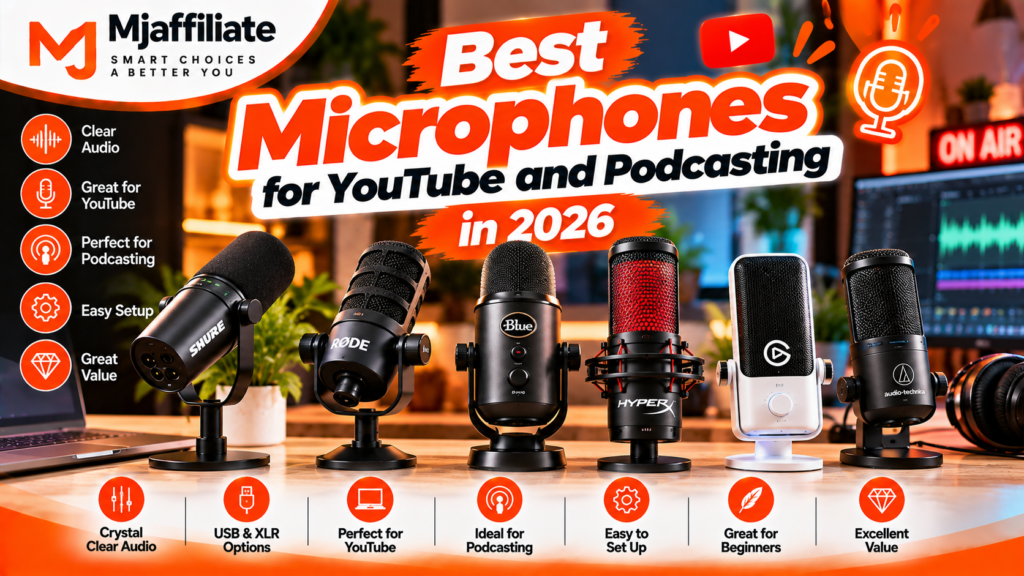
Best Microphones for YouTube and Podcasting in 2026 – 8 Top Picks
Affiliate Disclosure
This article may contain affiliate links. If you purchase a product through one of our links, Mjaffiliate may earn a commission at no additional cost to you. Our recommendations are based on product specifications, features, usability, and currently available information.
Why Your Microphone Matters More Than You Think
A YouTube video can have excellent visuals, lighting, and editing, but poor audio can still make the content difficult to enjoy.
For podcasts, interviews, tutorials, voiceovers, and talking-head videos, your microphone is one of the most important pieces of equipment in the setup.
The good news is that you don’t necessarily need a huge studio or an expensive audio interface to get started. Modern USB microphones can connect directly to a computer, while hybrid microphones give creators the option to start with USB and move to XLR later.
There is also an important difference between dynamic and condenser microphones.
Dynamic microphones are often useful for close-up speech and environments where you don’t have perfect acoustic treatment. Condenser microphones can capture more detail and are popular for studio-style recording when the room is reasonably controlled. Current 2026 microphone guides continue to highlight this distinction for creators and podcasters.
So, which microphone should you choose?
Let’s look at eight options covering different types of creators and recording setups.
Quick Comparison: Best Microphones for YouTube and Podcasting
| Microphone | Best For | Type | Connection |
|---|---|---|---|
| Shure MV7+ | Overall podcasting & YouTube | Dynamic | USB-C + XLR |
| RØDE PodMic USB | Podcasting & value | Dynamic | USB-C + XLR |
| RØDE NT-USB+ | Home studio YouTube | Condenser | USB-C |
| Elgato Wave:3 MK.2 | Streaming & creators | Condenser | USB-C |
| Audio-Technica AT2040USB | Noisy rooms | Dynamic | USB-C |
| Sennheiser Profile USB | Beginners | Condenser | USB-C |
| Samson Q2U | Budget podcasting | Dynamic | USB-C + XLR |
| Shure SM7dB | Professional podcasting | Dynamic | XLR |
1. Shure MV7+ – Best Overall for YouTube and Podcasting
If you want one microphone that can grow with your content-creation setup, the Shure MV7+ is one of the most flexible options to consider in 2026.
Official Shure MV7+ Product Page
The MV7+ is a dynamic microphone with both USB-C and XLR outputs, meaning you can plug it directly into your computer today and later connect it to an audio interface or mixer. Shure also includes Voice Isolation Technology, Auto Level Mode, real-time Denoiser, Digital Popper Stopper, a customizable LED touch panel, and a 3.5mm headphone output.
Why It Stands Out
The combination of USB and XLR makes the MV7+ particularly practical for creators whose setup may change over time.
You can start with a simple laptop-based recording setup and later build a more advanced podcast studio without replacing the microphone.
Its dynamic design and voice-isolation features can also be useful when recording in rooms that aren’t acoustically perfect.
Pros
- USB-C and XLR connectivity
- Real-time Denoiser
- Auto Level Mode
- Voice Isolation Technology
- Digital Popper Stopper
- 3.5mm headphone monitoring
- Customizable LED touch panel
- Suitable for podcasting, streaming and voiceovers
Cons
- More expensive than basic USB microphones
- Requires an interface for XLR recording
- Boom arm or stand may add to the total cost
Best for: YouTubers, podcasters, interviewers, streamers, and creators who want a microphone they can keep as their setup grows.
2. RØDE PodMic USB – Best Value for Podcasting
The RØDE PodMic USB is built specifically around spoken-word recording and content creation.
Official RØDE PodMic USB Product Page
It combines a dynamic microphone capsule with both USB and XLR connectivity. RØDE also includes an internal pop filter, internal shockmount and onboard APHEX processing. The USB connection includes a Revolution Preamp and a zero-latency headphone output.
Why It Stands Out
The PodMic USB gives you two connection options without requiring you to buy two different microphones.
You can use USB when recording directly to your computer and switch to XLR when you eventually add an audio interface.
Its rugged construction also makes it suitable for regular use in home studios, podcast rooms and mobile recording setups.
Pros
- USB-C and XLR
- Dynamic capsule
- Built-in pop filter
- Internal shockmount
- APHEX audio processing
- Zero-latency headphone monitoring
- Durable construction
- Works with computers and compatible mobile devices
Cons
- Heavy compared with compact USB microphones
- Boom arm is useful for the best positioning
- Dynamic microphones need close positioning for best results
Best for: Podcasters, YouTubers, streamers, voiceover creators and anyone wanting a flexible hybrid microphone.
3. RØDE NT-USB+ – Best USB Microphone for Home Studios
If you prefer the sound and detail of a condenser microphone and want a simple USB setup, the RØDE NT-USB+ is a strong option.
Official RØDE NT-USB+ Product Page
The NT-USB+ uses a studio-grade condenser capsule with a tight cardioid pickup pattern. It also features RØDE’s Revolution Preamp, onboard APHEX processing, USB-C connectivity and zero-latency headphone monitoring.
It records at up to 24-bit/48kHz and includes a desktop stand and detachable pop filter.
Why It Stands Out
The biggest attraction is simplicity.
You don’t need an external audio interface to start recording. Connect the microphone to your computer, adjust your monitoring controls, and begin recording.
RØDE also supports computers, smartphones and tablets, making the NT-USB+ more flexible than a traditional studio-only microphone.
Pros
- USB-C
- Studio-grade condenser capsule
- 24-bit/48kHz recording
- Internal DSP
- Revolution Preamp
- Headphone monitoring
- Pop filter included
- Desktop stand included
Cons
- Condenser microphones can capture more room sound
- USB-only
- Less suitable for untreated or noisy rooms than many dynamic alternatives
Best for: YouTubers, voiceover artists, educators, musicians and home-studio creators.
4. Elgato Wave:3 MK.2 – Best for YouTube Creators and Streamers
The Elgato Wave:3 MK.2 is designed for creators who want a microphone combined with software-based audio control.
Official Elgato Wave:3 MK.2 Product Page
The current Wave:3 MK.2 includes a Wave FX Processor with onboard DSP, Clipguard 2.0, VST effect support and Wave Link software for managing audio sources.
The microphone uses a condenser capsule and USB-C connection. The Wave:3 platform supports 24-bit recording and sample rates up to 96kHz.
Why It Stands Out
Wave Link is one of its biggest advantages.
Instead of simply recording microphone audio, creators can manage multiple audio sources through the software, which can be particularly useful for YouTube production and livestreaming.
The microphone also includes controls for input gain, headphone volume and mic/PC mix, along with a capacitive mute function.
Pros
- USB-C
- 24-bit/96kHz capability
- Wave Link software
- Clipguard protection
- Onboard DSP in MK.2
- Headphone monitoring
- Easy controls
- Excellent for streaming workflows
Cons
- USB-only
- Condenser capsule can pick up room noise
- Software features are more useful for creators who need audio routing
Best for: YouTubers, streamers, gamers and creators who want detailed audio control.
5. Audio-Technica AT2040USB – Best for Noisy Rooms
If your recording environment isn’t perfectly quiet, the Audio-Technica AT2040USB deserves attention.
Official Audio-Technica AT2040USB Product Information
This is a hypercardioid dynamic microphone, designed for podcasting, streaming and content creation. Audio-Technica says its highly directional pickup pattern helps reduce ambient sounds such as computer-fan noise.
It also includes a capacitive mute button, headphone output with volume control, mix control and an internal multi-stage windscreen/pop filter.
Why It Stands Out
The hypercardioid pickup pattern is particularly interesting for creators who record in bedrooms, home offices or other spaces where there may be background noise.
The dynamic capsule and focused pickup can help keep the microphone centered on the speaker rather than capturing as much of the surrounding environment.
Pros
- Dynamic microphone
- Hypercardioid pickup
- USB-C
- 24-bit/96kHz recording
- Headphone monitoring
- Mix control
- Built-in shockmount
- Internal pop filter
- Mute button
Cons
- USB version does not provide XLR connectivity
- Needs relatively close positioning
- Not as versatile as a USB/XLR hybrid
Best for: YouTubers, podcasters, gamers and creators recording in less-than-ideal rooms.
6. Sennheiser Profile USB – Best for Beginners
For someone who wants a straightforward microphone without a complicated setup, the Sennheiser Profile USB is an appealing option.
Official Sennheiser Profile USB Product Page
The Profile USB uses a cardioid condenser capsule and USB-C connectivity. It has dedicated controls for gain, mix and headphone volume, along with a soft-touch mute button and 3.5mm headphone output.
Why It Stands Out
It’s designed around simplicity.
There are no complicated drivers or external audio interfaces required. Sennheiser describes it as a plug-and-play microphone for podcasting, voiceover recording, streaming and video calls.
The included table stand also makes it easy for beginners to start recording immediately.
Pros
- USB-C
- Plug-and-play
- Cardioid condenser capsule
- Gain control
- Mix control
- Headphone output
- Mute button
- Adjustable tilt
- Metal housing
- Table stand included
Cons
- USB-only
- Condenser design can pick up room ambience
- Less upgrade flexibility than USB/XLR microphones
Best for: Beginners, YouTubers, students, podcasters and home-office creators.
7. Samson Q2U – Best Budget Microphone
If you’re starting a podcast or YouTube channel and don’t want to spend too much, the Samson Q2U remains a practical microphone to consider.
Official Samson Q2U Product Page
The Q2U is a dynamic microphone with both USB-C and XLR outputs. Samson includes a desktop tripod stand, mic clip, windscreen, USB cable and XLR cable.
It also has a cardioid pickup pattern and 3.5mm headphone monitoring.
Why It Stands Out
The biggest advantage is flexibility at a beginner-friendly level.
You can start by connecting it directly to your computer through USB. Later, if you purchase an audio interface or mixer, you can use the XLR connection.
Samson also specifically positions the Q2U for podcasting, live streaming, content creation and recording in untreated rooms.
Pros
- USB-C and XLR
- Dynamic capsule
- Cardioid pattern
- Headphone monitoring
- Mute/on-off switch
- Tripod stand included
- Windscreen included
- USB and XLR cables included
- Good starter flexibility
Cons
- Basic design
- Lower recording resolution than some newer premium USB microphones
- Included tripod is not ideal for every desk setup
Best for: Beginners, students, first-time podcasters and budget-conscious YouTubers.
8. Shure SM7dB – Best Professional XLR Microphone
For creators building a serious studio or professional podcasting setup, the Shure SM7dB is a premium option.
Official Shure SM7dB Product Page
The SM7dB is a dynamic XLR microphone with a built-in active preamp that provides selectable +18dB or +28dB gain. Shure says the preamp can simplify the signal chain compared with the original SM7B approach.
It also features bass roll-off and presence boost controls, electromagnetic hum rejection, internal shock isolation and a built-in pop filter.
Why It Stands Out
The SM7dB is designed for creators who already have—or are ready to build—an XLR recording system.
Unlike a USB microphone, you’ll need an audio interface or mixer with XLR input. When the built-in preamp is engaged, Shure specifies 48V phantom power.
Pros
- Professional dynamic microphone
- Built-in preamp
- +18dB or +28dB gain
- XLR connectivity
- Excellent rear rejection
- Bass roll-off
- Presence boost
- Internal shock isolation
- Built-in pop filter
- Designed for speech and professional recording
Cons
- Expensive
- Requires an audio interface
- Larger and heavier than USB microphones
- More complicated setup for beginners
Best for: Professional podcasters, broadcasters, voiceover artists, YouTubers and studio creators.
USB vs XLR: Which Microphone Connection Should You Choose?
This is one of the first decisions you should make.
USB Microphones
USB microphones connect directly to your computer.
Advantages
- Easy setup
- No audio interface required
- Great for beginners
- Usually portable
- Fewer cables
- Good for YouTube and simple podcast setups
Models such as the RØDE NT-USB+, Elgato Wave:3 and Sennheiser Profile USB follow this approach.
Best for:
YouTube beginners, voiceovers, tutorials, streaming and solo podcasting.
XLR Microphones
XLR microphones connect to an audio interface, mixer or compatible recording device.
Advantages
- Professional studio workflow
- Easy to expand
- Useful for multiple microphones
- Greater flexibility with interfaces and mixers
- Excellent for professional podcast studios
The Shure SM7dB is an example of a professional XLR microphone, while the MV7+ and PodMic USB give you both USB and XLR options.
Best for:
Professional podcasters, studios, multi-person podcasts and creators planning to expand their equipment.
Dynamic vs Condenser: Which Is Better?
There isn’t one type that is automatically better for every creator.
Dynamic Microphones
Dynamic microphones can be a practical choice when recording close-up speech in rooms with background noise or limited acoustic treatment.
Examples in this guide include:
- Shure MV7+
- RØDE PodMic USB
- Audio-Technica AT2040USB
- Samson Q2U
- Shure SM7dB
Condenser Microphones
Condenser microphones can provide detailed vocal capture and are commonly used in quieter or more controlled recording environments.
Examples include:
- RØDE NT-USB+
- Elgato Wave:3 MK.2
- Sennheiser Profile USB
The choice should depend on your room, microphone placement, voice and workflow rather than simply choosing one microphone type for every situation.
How to Choose the Right Microphone for YouTube
Before buying, consider these five things.
1. Your Recording Room
If you record in a bedroom or untreated office with fans, keyboards and outside noise, a dynamic microphone with focused pickup may be easier to work with.
2. Your Content Type
Different content needs different microphones.
Talking-head videos: USB or dynamic microphones can work well.
Podcasts: Dynamic USB/XLR microphones are particularly flexible.
Voiceovers: USB condensers can be convenient for home studios.
Streaming: USB microphones with software controls can make audio management easier.
Professional studio: XLR microphones offer more expansion options.
3. Your Budget
You don’t need to start with a professional $500+ microphone.
A budget microphone such as the Samson Q2U can give beginners USB and XLR connectivity, while more advanced creators can move toward microphones such as the MV7+ or SM7dB.
4. Do You Need an Audio Interface?
If you want simple plug-and-play recording, choose USB.
If you’re building a professional multi-microphone podcast studio, XLR can make more sense.
Hybrid microphones such as the Shure MV7+ and RØDE PodMic USB give you both options.
5. Don’t Forget Microphone Placement
Even an expensive microphone can sound poor if it is positioned incorrectly.
For spoken-word recording, keep the microphone reasonably close to your mouth and position it toward your voice.
A boom arm can also make it easier to maintain consistent microphone distance.
The Shure SM7dB user guide, for example, recommends close positioning of roughly 1–6 inches for voice applications and explains how changing distance affects the sound.
What Else Do You Need for a Good Podcast Setup?
A microphone is only one part of the setup.
Depending on your microphone, you may also want:
🎙️ Microphone Arm
A boom arm allows you to position the microphone close to your mouth without taking too much desk space.
🎧 Headphones
Closed-back headphones can help you monitor your voice while recording.
🛡️ Pop Filter
A pop filter or microphone’s built-in pop protection helps reduce harsh plosive sounds.
🎚️ Audio Interface
An audio interface is required for many XLR microphones.
🏠 Room Treatment
Curtains, carpets, furniture and acoustic treatment can reduce unwanted reflections.
💻 Recording Software
You can record and edit your podcast or voiceover using software such as Audacity, Adobe Audition, or other DAWs.
A Simple YouTube Recording Setup
If you’re just starting, you don’t need a complicated studio.
A practical setup could be:
USB Microphone → Laptop → Headphones → Recording Software
For example:
Sennheiser Profile USB + Laptop + Headphones
or
RØDE NT-USB+ + Laptop + Headphones
If you want more flexibility:
Shure MV7+ → USB-C → Laptop
Then later:
Shure MV7+ → XLR → Audio Interface → Computer
This is one reason hybrid microphones can be attractive for creators who expect their setup to grow.
A Simple Podcast Studio Setup
For a more advanced podcast:
Dynamic XLR Microphone → Audio Interface/Mixer → Computer → Recording Software
For two hosts:
Microphone 1 → Interface Channel 1
Microphone 2 → Interface Channel 2
This gives you individual control over each person’s voice.
For larger podcast panels, the number of microphone inputs on the interface or mixer becomes especially important.
Final Recommendations by Creator Type
🎥 For YouTube Creators
Consider the RØDE NT-USB+, Shure MV7+, or Elgato Wave:3 MK.2, depending on your room and workflow.
🎙️ For Podcasters
The Shure MV7+ and RØDE PodMic USB are particularly flexible because they offer USB and XLR connectivity.
💰 For Beginners on a Budget
The Samson Q2U provides both USB and XLR connectivity and comes with several useful accessories.
🏠 For Noisy Rooms
Consider a dynamic microphone such as the Audio-Technica AT2040USB or Shure MV7+. Their focused pickup and dynamic designs can be useful when the recording environment isn’t fully treated.
🎧 For Streaming
The Elgato Wave:3 MK.2 is built around USB recording and Wave Link audio management, making it particularly relevant to streaming and creator workflows.
🎚️ For Professional Studios
The Shure SM7dB is designed for an XLR-based professional workflow and includes a built-in preamp to simplify gain requirements.
Final Thoughts
Choosing the best microphone for YouTube or podcasting in 2026 isn’t simply about buying the most expensive model.
Your room, recording style, connection type, budget and future plans should all influence your decision.
If you want an easy setup, a USB microphone can get you recording quickly. If you want a studio that can grow over time, an XLR or hybrid microphone may be more suitable.
For creators who want maximum flexibility, the Shure MV7+ and RØDE PodMic USB offer USB and XLR connections. For a straightforward USB studio, the RØDE NT-USB+ and Sennheiser Profile USB are worth considering. Streamers may appreciate the Elgato Wave:3 MK.2 and its software ecosystem, while budget-conscious beginners can look at the Samson Q2U.
And if you’re building a professional XLR recording environment, the Shure SM7dB provides a more advanced route with its integrated preamp and studio-oriented controls.
The most important thing is not just the microphone itself. Good microphone placement, a suitable room, consistent distance and proper recording levels can make a major difference to the final sound.
Frequently Asked Questions
What is the best microphone for YouTube in 2026?
The right microphone depends on your room and recording style. USB options such as the RØDE NT-USB+ and Elgato Wave:3 MK.2 are convenient for creators who want a simple setup, while the Shure MV7+ provides both USB-C and XLR connectivity.
What is the best microphone for podcasting?
For a flexible podcast setup, consider a dynamic USB/XLR microphone such as the Shure MV7+ or RØDE PodMic USB. Both can connect directly through USB and can also be used with an XLR audio interface.
Is USB or XLR better for podcasting?
USB is simpler and usually better for beginners. XLR is more flexible for professional setups and multiple microphones. Hybrid microphones offer both approaches.
Is a dynamic microphone better for a noisy room?
A dynamic microphone with a focused pickup pattern can be a practical choice for noisy or untreated rooms. The Audio-Technica AT2040USB, for example, uses a hypercardioid pattern designed for focused vocal capture and reduced ambient noise.
Do I need an audio interface?
Not if you’re using a USB microphone. You generally need an audio interface or mixer when using an XLR microphone.
What microphone is good for a beginner?
The Samson Q2U and Sennheiser Profile USB are straightforward starting points. The Q2U additionally provides USB and XLR connections, giving beginners an upgrade path.
Is the Shure SM7dB worth considering for podcasting?
The SM7dB is designed for professional XLR workflows and includes a built-in preamp with +18dB and +28dB gain options. It is more advanced than a typical USB starter microphone and requires an appropriate XLR setup.