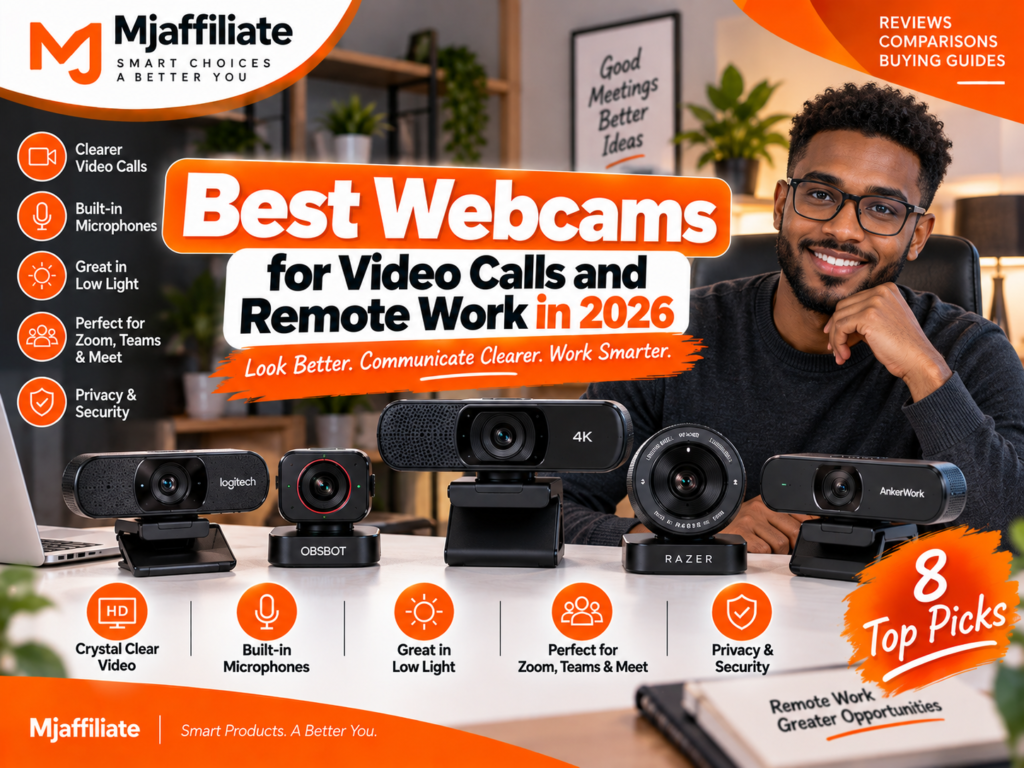
Best Webcams for Video Calls and Remote Work in 2026
Affiliate Disclosure
Mjaffiliate participates in affiliate marketing programs. Some links in this article may be affiliate links. If you purchase through one of these links, we may earn a commission at no additional cost to you.
Our recommendations are based on current manufacturer specifications, video quality, autofocus, microphones, low-light performance, privacy features, software, compatibility, and practical remote-work use. We have not personally tested every webcam listed, and prices or availability may change.
A Better Webcam Can Make a Home Office Feel More Professional
Remote work has made webcams part of everyday business equipment.
You may spend hours every week in Zoom calls, Microsoft Teams meetings, Google Meet sessions, interviews, online classes, presentations, or client conversations. Yet many people still depend on the small camera built into a laptop screen.
Built-in webcams are convenient, but they often have small sensors, limited positioning, and weak performance when the room is dark or strongly backlit.
A dedicated webcam gives you more control.
You can position the camera closer to eye level, improve image quality, widen or narrow the frame, and use features such as autofocus, HDR, AI tracking, privacy shutters, and better microphones.
But 4K is not automatically necessary for everyone.
For normal meetings, a good 1080p webcam with reliable lighting correction may look better than a poorly positioned 4K camera. If you also record YouTube videos, presentations, product demonstrations, or professional content, however, the extra resolution and larger sensors of premium webcams become more useful.
Here are eight webcams worth considering for a home office in 2026.
Quick Comparison: Best Webcams in 2026
| Webcam | Best For | Max Video | Key Feature |
|---|---|---|---|
| Insta360 Link 2 Pro | Best overall | 4K/30 | AI tracking + large sensor |
| Logitech MX Brio | Premium remote work | 4K/30 | AI image enhancement |
| OBSBOT Tiny 2 Lite | Best AI tracking value | 4K/30 | PTZ tracking + gestures |
| Razer Kiyo Pro Ultra | Best low-light image | 4K/30 | Large sensor |
| Elgato Facecam MK.2 | Creators & streaming | 1080p/60 | DSLR-style controls |
| Logitech Brio 500 | Everyday meetings | 1080p/30 | Auto-framing + Show Mode |
| Logitech Brio 4K | Business & Windows Hello | 4K/30 | Windows Hello |
| AnkerWork PowerConf C300 | Affordable remote work | 1080p | AI Auto-Frame |
1. Insta360 Link 2 Pro – Best Webcam Overall
The Insta360 Link 2 Pro is the most complete option in this guide for people who want one webcam for serious remote work, presentations, streaming, and content creation.
It records up to 4K at 30fps or 1080p at up to 60fps and uses a relatively large 1/1.3-inch sensor with an f/1.9 aperture. It also includes autofocus, HDR, up to 4x digital zoom, and dual microphones.
The main difference, however, is its motorized tracking.
The Link 2 Pro can physically move to follow you around the frame instead of relying only on digital cropping. That can be especially useful for teachers, trainers, presenters, or people who regularly stand up during meetings.
It also supports smart whiteboard and DeskView modes, plus popular conferencing platforms such as Microsoft Teams and Zoom.
Why It Works So Well
Most webcams assume you will sit in one position.
The Link 2 Pro is much more useful when your work involves movement.
Key Reasons to Buy
- 4K/30fps
- 1080p/60fps
- Large 1/1.3-inch sensor
- AI tracking
- Motorized gimbal
- Autofocus
- HDR
- Dual microphones
- Noise cancellation
- Smart Whiteboard and DeskView modes
- Privacy mode
Skip It If
You only attend a few basic meetings per week and rarely move away from your desk.
Best for: Professionals, teachers, presenters, creators, and premium home offices.
2. Logitech MX Brio – Best Premium Webcam for Remote Work
The Logitech MX Brio is easier to recommend to someone who wants premium image quality but does not need a moving gimbal.
It captures 4K at 30fps and 1080p at 60fps. Logitech says MX Brio uses its largest webcam sensor yet, with pixels that are 70% larger than those in the older Brio 4K, helping improve visibility in difficult lighting.
Logitech also adds AI-based image enhancement.
This is useful in real home offices where lighting is rarely perfect. You might have a window behind you in the afternoon, dim lighting at night, or different light levels across the room.
Why Remote Workers Will Like It
The MX Brio feels more like a traditional professional webcam than an experimental AI camera.
Mount it, connect USB-C, configure the image through Logitech software, and leave it on your monitor.
Strong Points
- 4K Ultra HD
- 1080p/60fps
- Large sensor
- AI image enhancement
- Good low-light capability
- USB-C
- Adjustable field of view
- Premium build
- Built-in privacy design
Skip It If
You specifically need automatic physical tracking while walking around.
Best for: Executives, consultants, freelancers, business owners, and premium home-office setups.
3. OBSBOT Tiny 2 Lite – Best AI Tracking Webcam for the Money
The OBSBOT Tiny 2 Lite is one of the most interesting options if AI tracking matters but you do not want to move to the most expensive webcam category.
It uses a 1/2-inch CMOS sensor, records up to 4K/30fps and 1080p/60fps, supports HDR, and includes a two-axis motorized gimbal.
Its AI system can track a person and automatically adjust framing and zoom as they move.
Gesture Control 2.0 also allows some functions to be triggered without touching the computer. OBSBOT includes dual omnidirectional microphones with adjustable noise reduction.
Who Benefits Most?
Think about a teacher standing beside a whiteboard.
Or a trainer demonstrating a product.
Or a creator recording while moving around a room.
A standard fixed webcam cannot follow those movements without software cropping. The Tiny 2 Lite can physically rotate.
Strong Points
- 4K/30fps
- 1080p/60fps
- AI tracking with auto zoom
- Motorized pan and tilt
- Gesture controls
- HDR
- Autofocus
- Dual microphones
- Preset positions
Skip It If
You never move during calls. A simpler fixed webcam will cost less and take up less visual space.
Best for: Online teaching, presentations, demos, livestreaming, and hybrid work.
4. Razer Kiyo Pro Ultra – Best Webcam for Low-Light Rooms
Webcams often look good in bright promotional photos and much worse in an actual bedroom or office at night.
That is where the Razer Kiyo Pro Ultra becomes interesting.
Razer designed it around a large sensor and low-aperture lens to improve light capture. It supports 4K at 30fps and 1080p at up to 60fps.
The camera includes an 8.3MP autofocus system, built-in microphones, a physical privacy shutter controlled through the lens mechanism, and a standard 1/4-inch tripod thread.
Why Sensor Size Matters
More resolution is not useful if the image becomes noisy in poor lighting.
A larger sensor can gather more light, which is particularly valuable for evening calls and darker home-office environments.
Good lighting is still important, but the Kiyo Pro Ultra is less dependent on a perfectly bright room than basic webcams.
Strong Points
- 4K/30fps
- 1080p/60fps
- Large webcam sensor
- Excellent low-light focus
- Autofocus
- Built-in privacy shutter
- Tripod mounting
- Built-in microphones
Skip It If
Your room already has excellent lighting and you mainly want AI tracking.
Best for: Darker rooms, creators, streamers, and users prioritizing image quality.
5. Elgato Facecam MK.2 – Best for Creators Who Want Camera Controls
The Elgato Facecam MK.2 takes a slightly different approach.
Instead of trying to win the resolution race, it focuses on producing very good 1080p at 60fps video with detailed manual controls.
Facecam uses a Sony STARVIS CMOS sensor, an Elgato Prime lens, an f/2.4 aperture, and an 84-degree field of view. It supports both SDR and HDR at up to 1080p60.
Elgato’s Camera Hub software gives users control over settings such as shutter speed, ISO, field of view, and image processing.
One unusual decision is that Facecam does not include a microphone.
Elgato expects serious creators to use a dedicated microphone or headset instead.
Why That Can Actually Be Good
For YouTube, streaming, podcast video, and content creation, audio from a dedicated microphone will normally be more useful than a tiny webcam microphone.
Elgato puts more of the hardware budget into the image.
Strong Points
- Smooth 1080p/60fps
- HDR
- Sony STARVIS sensor
- Strong Camera Hub software
- Manual exposure controls
- Integrated privacy shutter
- USB-C
- 1/4-inch mounting thread
Skip It If
You need an all-in-one webcam with microphones.
Best for: YouTube, Twitch, OBS, streaming, and users with dedicated microphones.
6. Logitech Brio 500 – Best Everyday Webcam for Meetings
Most remote workers do not need 4K.
They need to look clear, remain properly framed, and avoid spending ten minutes fixing camera settings before a meeting.
The Logitech Brio 500 records at 1080p/30fps or 720p/60fps. It includes autofocus, selectable 90°, 78°, and 65° fields of view, stereo microphones, USB-C connectivity, and RightLight 4 with HDR.
Logitech also offers RightSight auto-framing through Logi Tune and a Show Mode designed to make it easier to present physical objects on your desk.
Why It Makes Sense
This is the webcam for someone who spends the day moving between Teams, Zoom, Slack, Meet, email, and documents.
You do not need a studio.
You need something dependable.
Strong Points
- 1080p video
- Autofocus
- HDR light correction
- Auto-framing
- Stereo microphones
- Show Mode
- USB-C
- Adjustable field of view
- Business-friendly design
Skip It If
You plan to use the webcam for high-resolution YouTube recording.
Best for: Everyday remote work, Zoom, Teams, Google Meet, and hybrid offices.
7. Logitech Brio 4K – Best for Business and Windows Hello
The original Logitech Brio 4K remains useful because it combines business-oriented features with high-resolution video.
It supports up to 4K/30fps, 1080p/60fps, and 720p/90fps. It uses a 13MP sensor, autofocus, selectable 65°, 78°, and 90° fields of view, and up to 5x digital zoom.
Brio also includes infrared sensors for Windows Hello, allowing compatible Windows users to sign in using facial recognition.
Dual omnidirectional microphones are built in, and Logitech includes a privacy shutter.
Why Business Users May Still Choose It
Not everyone needs AI tracking.
For a fixed office desk, Windows Hello plus 4K video and proven conferencing compatibility may be much more useful.
Strong Points
- 4K/30fps
- 1080p/60fps
- Windows Hello
- Autofocus
- 5x digital zoom
- Three field-of-view options
- Dual microphones
- Privacy shutter
Skip It If
You want the newest AI-enhanced Logitech imaging; MX Brio is the more modern premium choice.
Best for: Windows business users, corporate work, and secure home-office setups.
8. AnkerWork PowerConf C300 – Best Affordable Remote-Work Webcam
A webcam does not have to be 4K to improve a laptop setup.
The AnkerWork PowerConf C300 is positioned specifically for remote work and uses 1080p video with AI Auto-Frame, allowing users to move during presentations while remaining centered.
That makes it a practical alternative when your goal is professional meetings rather than high-resolution content production.
Why It Belongs Here
The C300 focuses on features employees actually use.
Clear video.
Automatic framing.
Simple setup.
Remote-work software support.
It is the kind of webcam you can add to a home office without rebuilding the entire setup.
Strong Points
- 1080p video
- AI Auto-Frame
- Designed for remote work
- Useful for presentations
- AnkerWork customization software
- Straightforward home-office positioning
Skip It If
You need 4K output or professional content-creation controls.
Best for: Budget-conscious remote workers and online students.
Do You Really Need a 4K Webcam?
For ordinary Zoom or Teams calls, not always.
Video-conferencing applications can limit the resolution you actually transmit depending on the platform, account type, connection, computer performance, and meeting settings.
A high-quality 1080p webcam can therefore be more than enough for daily meetings.
4K becomes more valuable when you want to crop the image, record content locally, create YouTube videos, demonstrate products, or keep the webcam for several years.
Image Quality Is More Than Resolution
When comparing webcams, pay attention to:
Sensor size: Larger sensors generally help in difficult lighting.
Autofocus: Important if you lean forward, hold objects toward the camera, or move frequently.
HDR: Helps balance bright windows and darker faces.
Frame rate: 60fps creates smoother motion than 30fps.
Field of view: A wider angle is useful for multiple people but may show more of your room than you want.
A sharp 1080p webcam with good lighting often looks more professional than a noisy 4K image.
Your Lighting Still Matters
Even the most expensive webcam cannot completely fix bad lighting.
Try placing the main light in front of your face rather than directly behind you.
A window can provide excellent daylight.
At night, a dedicated light makes your appearance much more consistent.
For a full home-office setup, pair your webcam with a good ring light instead of expecting software to correct every lighting problem.
What About the Webcam Microphone?
Built-in microphones are convenient, but they should not automatically determine which webcam you buy.
If meetings are important to your work, a good headset, USB microphone, or dedicated speakerphone may provide much clearer sound.
This is particularly true when your room has echo, traffic noise, fans, children, or several people talking nearby.
Video gets attention, but poor audio can make a meeting much harder to follow.
Privacy Features Matter
A webcam points directly into your home.
That makes a physical privacy shutter useful.
Logitech, Elgato, Razer, and several other manufacturers include shutters or hardware privacy modes on selected models.
A physical cover provides a simple visual confirmation that the camera cannot see the room.
Frequently Asked Questions
What is the best webcam for remote work in 2026?
The Insta360 Link 2 Pro is our best overall choice because it combines 4K video, a large sensor, autofocus, AI tracking, a motorized gimbal, dual microphones, and presentation-focused features.
What is the best webcam for Zoom and Microsoft Teams?
For normal desk-based meetings, the Logitech Brio 500 offers an excellent combination of 1080p video, light correction, microphones, auto-framing, and straightforward USB-C connectivity.
Is 1080p enough for a webcam?
Yes.
1080p is more than enough for many meetings and online classes. Lighting, sensor quality, framing, and audio often have a larger impact on how professional you appear.
Is a 4K webcam worth buying?
It can be worth it if you record content, crop your image, use the camera for streaming, or want higher-quality local recordings.
For simple video calls, the difference may be less important.
Which webcam is best for low light?
The Razer Kiyo Pro Ultra is particularly interesting because Razer built it around a large sensor and low-aperture lens specifically intended to improve light capture.
Which webcam follows you automatically?
The Insta360 Link 2 Pro and OBSBOT Tiny 2 Lite both offer AI-powered tracking with motorized camera movement.
Do I need a webcam with a microphone?
Not necessarily.
A built-in microphone is convenient for casual meetings, but remote workers who spend several hours in calls may get better results from a dedicated headset or microphone.
Final Picks
Best Overall: Insta360 Link 2 Pro
Best Premium Fixed Webcam: Logitech MX Brio
Best AI Tracking Value: OBSBOT Tiny 2 Lite
Best for Low Light: Razer Kiyo Pro Ultra
Best for Streaming: Elgato Facecam MK.2
Best for Everyday Meetings: Logitech Brio 500
Best for Windows Hello: Logitech Brio 4K
Best Affordable Remote-Work Pick: AnkerWork PowerConf C300
Final Verdict
The best webcam for remote work is not necessarily the one with the highest resolution.
If you spend your meetings seated at the same desk, a dependable fixed webcam such as the Logitech MX Brio or Brio 500 may be all you need.
If your work involves teaching, demonstrations, presentations, or movement, the Insta360 Link 2 Pro and OBSBOT Tiny 2 Lite are much more interesting because their motorized systems can follow you.
Creators should look at the Elgato Facecam MK.2, while users dealing with darker rooms may prefer the large-sensor approach of the Razer Kiyo Pro Ultra.
For corporate Windows environments, Logitech Brio 4K remains useful because of Windows Hello, while the AnkerWork PowerConf C300 offers a simpler entry point for everyday remote work.
Before ordering, think about your lighting, desk position, computer ports, microphone setup, and whether you actually move during calls.
A great webcam should make joining a meeting easier-not give you another piece of technology to constantly adjust.