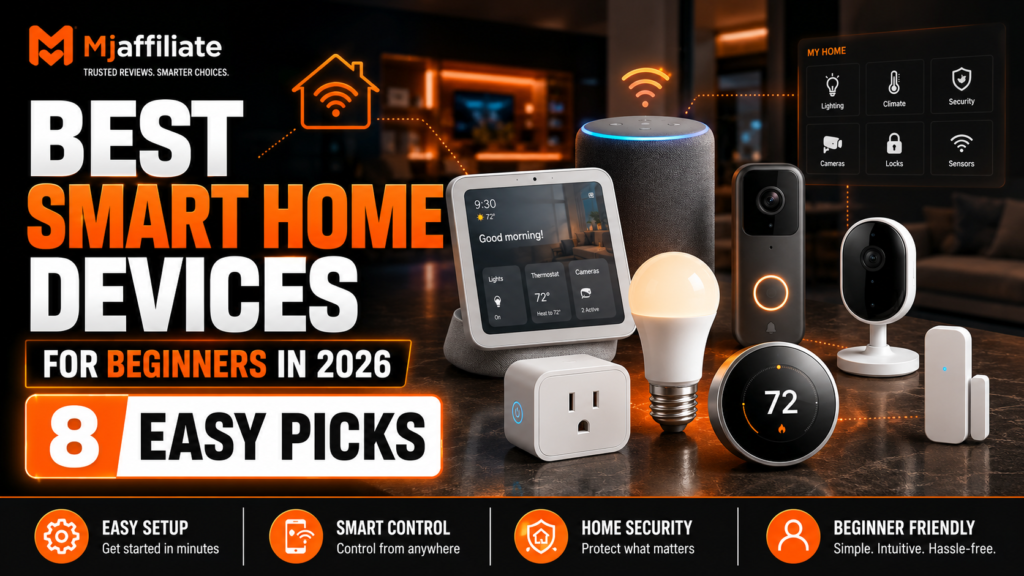
Best Smart Home Devices for Beginners in 2026
Affiliate Disclosure
Mjaffiliate participates in affiliate marketing programs. Some links in this article may be affiliate links. If you purchase through one of these links, we may earn a small commission at no additional cost to you.
Our recommendations are based on official product specifications, ease of setup, compatibility, practical everyday usefulness, and suitability for first-time smart home users. Prices, availability, subscriptions, and regional features may change.
Smart Home Beginners: Start Simple
Building a smart home does not mean replacing every appliance in your house.
For most beginners, the best approach is to start with one or two inexpensive devices that solve a real everyday problem. A smart plug can automate a lamp. A smart bulb can turn on before you arrive home. A video doorbell can show who is outside, while a smart speaker can control several compatible devices using voice commands.
Compatibility has also become easier because of Matter, an interoperability standard designed to help supported smart home products work across major ecosystems. Matter-certified devices can often work with platforms such as Amazon Alexa, Google Home, Apple Home, and Samsung SmartThings, depending on the device and controller being used.
If you are building your first smart home in 2026, these eight devices are excellent places to begin.
Our Beginner Smart Home Shortlist
| Device | Category | Best For | Setup Level |
|---|---|---|---|
| Amazon Echo Dot | Smart speaker | Best starting hub | Very Easy |
| Google Nest Hub 2nd Gen | Smart display | Visual smart-home control | Easy |
| Philips Hue Starter Kit | Smart lighting | Automated lighting | Easy |
| Tapo P125M | Smart plug | Cheapest smart-home upgrade | Very Easy |
| Ring Battery Doorbell 2K | Video doorbell | Front-door security | Easy |
| eufy Indoor Cam S350 | Indoor camera | Pets and indoor monitoring | Easy |
| ecobee Smart Thermostat Essential | Thermostat | Climate and energy control | Moderate |
| Aqara Door & Window Sensor P2 | Smart sensor | Simple automations | Easy* |
*The Aqara P2 requires a compatible Matter/Thread setup.
1. Amazon Echo Dot – Best First Smart Home Device
What It Does
The Echo Dot is a compact smart speaker built around Alexa. You can use voice commands to play music, create timers, ask questions, and control compatible smart home products.
Amazon also equips the fifth-generation Echo Dot with motion and indoor-temperature sensing. These sensors can be used in routines—for example, switching compatible lights on when someone enters a room or triggering another compatible device according to temperature.
Why Beginners Will Like It
The Echo Dot can become the voice-control center for other compatible devices you add later.
Start with an Echo Dot and a smart bulb or plug, and you already have a useful automated setup.
You might say:
“Alexa, turn off the bedroom light.”
Or create an automatic routine that turns lights on when motion is detected.
Watch Out For
If you do not want an always-listening voice assistant in your home, a traditional app-based smart-home setup may suit you better. Amazon includes microphone controls on Echo devices, but privacy preferences remain personal.
Beginner Score: ★★★★★
Best for: Someone building an Alexa-based smart home from zero.
2. Google Nest Hub (2nd Gen) – Best Smart Display for Beginners
A smart display can be easier to understand than a speaker because you can both speak commands and see information on a screen.
Google describes the second-generation Nest Hub as a central control point for compatible smart-home devices. Users can control supported products using either the touchscreen or voice commands.
Why Choose a Display?
A smart display can show timers, weather information, smart-home controls, compatible camera feeds, media, and other visual information.
For a beginner, having a visible interface can make home automation feel less confusing than controlling everything through voice commands alone.
Why Beginners Will Like It
It works particularly well if your phone and other services are already connected to Google.
You can place the Nest Hub in a kitchen, bedroom, or common area and gradually connect additional compatible devices.
Watch Out For
Make sure the smart devices you plan to buy support Google Home before building your whole setup around this ecosystem.
Beginner Score: ★★★★½
Best for: Google users who prefer a screen rather than voice-only controls.
3. Philips Hue Starter Kit – Best Smart Lighting System
Smart lighting is one of the easiest ways to understand why a smart home can be useful.
Philips Hue starter kits include smart bulbs and a Hue Bridge, with some kits also including an additional smart control such as a button or dimmer. Philips describes its starter kits as an easy way to begin building a smart lighting setup.
Once installed, Hue lights can be controlled through the app and connected to compatible smart-home platforms.
What Can You Do With Smart Lights?
You can create schedules so bedroom lights gradually turn on in the morning.
You can switch all downstairs lights off from your phone.
You can dim lights without installing a traditional dimmer.
Depending on the bulbs selected, you can also change color temperature or use colored lighting scenes.
Why Beginners Will Like It
The benefit is immediately visible.
You do not need advanced technical knowledge to understand why automatically controlling your lights is useful.
Philips also launched the newer Hue Bridge Pro in 2026, which supports more lights and accessories than the standard Bridge and works with major smart-home ecosystems.
Watch Out For
Hue can become expensive if you eventually replace many bulbs throughout your home.
Beginner Score: ★★★★★
Best for: Anyone who wants their first practical home automation.
4. Tapo P125M – Best Budget Smart Home Upgrade
You do not always need to replace an appliance to make it smarter.
A smart plug sits between your wall outlet and an existing device. The Tapo P125M can remotely switch connected devices on or off and supports schedules and voice control. It is Matter-certified and works with major smart-home ecosystems including Alexa, Google Home, Apple Home, and Samsung SmartThings.
Beginner Idea
Plug a normal lamp into the Tapo P125M.
You can then schedule the lamp to turn on every evening or switch it off remotely from your phone.
The P125M can also be added through compatible Matter apps by scanning its setup code.
Why Beginners Will Like It
Smart plugs are inexpensive and do not require replacing existing lamps or many other simple on/off appliances.
They are one of the easiest ways to experiment with automations before spending more money.
Watch Out For
Do not assume every appliance should be controlled through a smart plug. Check the electrical rating and the appliance manufacturer’s recommendations first.
Beginner Score: ★★★★★
Best for: The easiest low-cost introduction to home automation.
5. Ring Battery Doorbell 2K – Best Beginner Video Doorbell
A smart video doorbell adds an immediately useful security feature to a home.
Ring’s current Battery Doorbell 2K provides 2K video, head-to-toe viewing, motion detection, Live View, Two-Way Talk, and a built-in rechargeable battery.
The battery-powered design also makes installation simpler than many permanently wired systems.
What It Can Do
When someone approaches or presses the doorbell, compatible Ring features can alert you on your phone.
You can view the entrance remotely and use two-way communication.
This can be useful for visitors, deliveries, or simply checking activity outside the door.
Why Beginners Will Like It
A video doorbell has a clear purpose and does not require building complicated automations.
Install it, connect it to the app, and you immediately understand the benefit.
Watch Out For
Some recording and video-history features require a Ring subscription. Ring states that subscription plans enable stored recordings for later viewing and sharing.
Beginner Score: ★★★★½
Best for: People who want their first smart security device.
6. eufy Indoor Cam S350 – Best for Pets and Indoor Monitoring
If you want to monitor a living room, entrance, pet, or another indoor area, the eufy Indoor Cam S350 is a more advanced option that remains relatively simple to use.
The S350 combines a 4K wide-angle camera with a 2K telephoto camera, provides 8× hybrid zoom, and supports 360-degree pan-and-tilt coverage. eufy also highlights person, pet, and crying detection as part of its indoor monitoring features.
Why Beginners Will Like It
Instead of installing several fixed indoor cameras, a pan-and-tilt model can cover a larger area from one position.
It can be especially useful for people who want to check on pets while away from home.
Watch Out For
Indoor cameras introduce important privacy considerations.
Place them only in appropriate areas, secure your account, use strong passwords, enable available security protections, and avoid positioning cameras in spaces where household members reasonably expect privacy.
Beginner Score: ★★★★☆
Best for: Indoor monitoring and pet owners.
7. ecobee Smart Thermostat Essential – Best Smart Climate Upgrade
Once you are comfortable with smart plugs and lights, a thermostat is a useful next step.
The ecobee Smart Thermostat Essential lets users control temperature through its touchscreen or the ecobee app and automatically follows configured schedules for home, away, and sleep periods. ecobee says the thermostat is ENERGY STAR certified and estimates potential heating-and-cooling savings of up to 23%, although actual savings vary by household and conditions.
It also works with major ecosystems including Amazon Alexa, Apple HomeKit, and Google Assistant.
Why Beginners Will Like It
Unlike some smart gadgets, a thermostat can automate something you already adjust regularly.
You can change the temperature remotely or use schedules so you do not have to remember to make adjustments every day.
Watch Out For
This installation is more complicated than screwing in a smart bulb.
ecobee recommends first checking HVAC compatibility and provides an installation process that it says takes around 45 minutes in many homes.
If you are uncertain about electrical wiring or HVAC systems, professional installation may be the better choice.
Beginner Score: ★★★★☆
Best for: Homeowners ready for a more meaningful smart-home upgrade.
8. Aqara Door and Window Sensor P2 – Best First Smart Sensor
Sensors are where a smart home starts becoming truly automatic.
The Aqara Door and Window Sensor P2 detects whether a door or window is open or closed. It uses Thread and supports Matter natively, allowing it to connect with compatible smart-home ecosystems through the appropriate Matter/Thread infrastructure.
What Can You Do With It?
Instead of manually controlling a device, a sensor can trigger an automation.
For example:
Open the front door → entrance light turns on.
Window opens → compatible heating automation reacts.
Door opens at night → you receive an alert.
Why Beginners Will Like It
It teaches the most important concept in home automation:
Something happens → the smart home responds automatically.
Watch Out For
The P2 needs a compatible Matter controller with Thread border-router capability, so it is not as completely standalone as a Wi-Fi smart plug.
Check your existing smart-home hub or speaker before purchasing.
Beginner Score: ★★★★☆
Best for: Beginners ready to move from remote controls to real automation.
[Check Current Price – Insert Aqara Affiliate Link]
Which Smart Home Ecosystem Should a Beginner Choose?
Do not begin by buying products from five different ecosystems.
Pick the platform you already use most.
Choose Alexa If:
You want an affordable voice-first system and plan to use Echo devices.
Choose Google Home If:
You already use Google services and prefer Nest smart displays and voice control.
Choose Apple Home If:
Your household primarily uses iPhones and other Apple products.
Choose Matter-Compatible Devices If:
You want greater flexibility between supported ecosystems.
Matter is specifically intended to improve interoperability between smart-home products and major platforms, although individual product features can still vary between ecosystems.
The $100 Beginner Smart Home Strategy
You do not need to automate an entire house at once.
A simple beginner setup could look like this:
Step 1: Buy one Echo Dot or another compatible hub.
Step 2: Add one smart plug.
Step 3: Add one or two smart bulbs.
Step 4: Create your first automation.
For example:
At 7:00 PM → living-room light turns on.
After you become comfortable with that setup, consider cameras, sensors, thermostats, locks, robot vacuums, and other products.
This approach prevents you from spending hundreds of dollars before understanding which smart-home features you actually use.
5 Things Beginners Should Check Before Buying
Compatibility
Look for Alexa, Google Home, Apple Home, SmartThings, or Matter compatibility depending on your existing platform.
Wi-Fi Requirements
Some products only support certain Wi-Fi bands, while Thread, Zigbee, and Matter devices may need compatible hubs or controllers.
Subscription Costs
Security cameras and video doorbells may offer some features only through paid plans.
Installation
A bulb or plug may take minutes to configure.
Thermostats, switches, and locks can require more technical installation.
Privacy and Security
Use strong unique passwords, enable multi-factor authentication where available, keep firmware updated, and review camera and microphone permissions.
Frequently Asked Questions
What is the easiest smart home device for beginners?
A smart plug such as the Tapo P125M is one of the easiest starting points because it can add remote control and scheduling to compatible existing appliances without a complicated installation.
Do I need a smart home hub?
Not always. Many Wi-Fi products work directly through their apps. Some Matter, Thread, Zigbee, or other devices require a compatible controller, hub, or border router.
What is Matter?
Matter is a smart-home interoperability standard designed to make certified products work more consistently across supported platforms and brands.
Should I choose Alexa or Google Home?
Both support large ranges of smart-home products. The better choice usually depends on which services and devices you already use.
Are smart home devices difficult to install?
Many beginner products such as bulbs, plugs, speakers, and indoor cameras are designed for straightforward setup. Wired switches and thermostats can require more technical installation.
Can I mix smart home brands?
Yes, especially when products support the same ecosystem or Matter. However, using fewer ecosystems usually makes setup and automation easier for beginners.
What smart home device should I buy first?
For most people, start with either a smart speaker plus a smart plug or a smart speaker plus smart lighting. Add security and climate devices after you become comfortable with automations.
Final Beginner Ranking
Best Starting Device: Amazon Echo Dot
Best Visual Controller: Google Nest Hub 2nd Gen
Best Smart Lighting: Philips Hue Starter Kit
Best Budget Upgrade: Tapo P125M
Best Front-Door Security: Ring Battery Doorbell 2K
Best Indoor Monitoring: eufy Indoor Cam S350
Best Climate Upgrade: ecobee Smart Thermostat Essential
Best Automation Sensor: Aqara Door & Window Sensor P2
Final Verdict
The easiest way to build a smart home in 2026 is to avoid trying to make everything smart immediately.
Start with a simple device that solves a real problem.
The Amazon Echo Dot provides an easy starting point for Alexa users, while the Google Nest Hub offers a more visual approach. The Philips Hue Starter Kit is excellent for learning automations, and the inexpensive Tapo P125M makes it possible to experiment with smart control without replacing existing appliances.
Once you are comfortable with the basics, add security products such as the Ring Battery Doorbell 2K or eufy Indoor Cam S350. The ecobee Smart Thermostat Essential is a logical next step for climate control, while the Aqara Door and Window Sensor P2 can help you build more advanced automatic routines.
The best beginner smart home is not the one with the most devices—it is the one that makes everyday tasks simpler.