
Best Budget Laptops for Students in 2026
Affiliate Disclosure
Mjaffiliate participates in affiliate marketing programs. Some links in this article may be affiliate links. If you purchase a product through one of these links, we may earn a small commission at no additional cost to you.
Our recommendations are based on official product specifications, practical student needs, value, compatibility, portability, and expected everyday performance. Prices, configurations, discounts, and availability may change depending on the retailer and country.
Introduction
A dependable laptop has become an essential tool for modern students. Whether you are attending online classes, researching assignments, creating presentations, joining video meetings, learning programming, or watching educational content, the right laptop can make studying easier and more productive.
However, students usually have limited budgets, and choosing an affordable laptop can be difficult. Some inexpensive laptops provide weak processors, low-resolution screens, limited storage, or insufficient memory. Other models look affordable at first but require expensive upgrades shortly after purchase.
The best budget student laptop should provide a reasonable balance of performance, battery life, portability, durability, display quality, and storage. It does not need to be the most powerful computer available, but it should remain responsive while running common applications such as Microsoft Word, Google Docs, PowerPoint, Zoom, web browsers, and learning platforms.
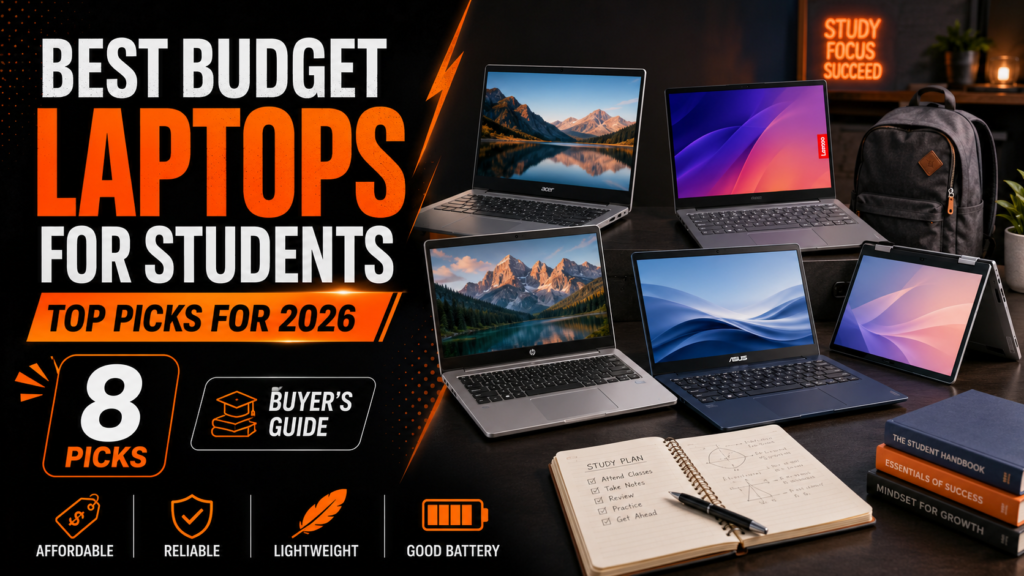
In this guide, we compare eight of the best budget laptops for students in 2026. The list includes affordable Windows laptops, lightweight Chromebooks, and one premium option for students who want a laptop they can use for several years.
Quick Comparison of the Best Budget Student Laptops
| Laptop | Best For | Recommended Configuration | Main Strength |
|---|---|---|---|
| Acer Aspire Go 15 | Best overall budget laptop | Core i5, 16GB RAM, 512GB SSD | Strong everyday value |
| Lenovo IdeaPad Slim 3 Gen 10 | Multitasking students | Ryzen processor, 16GB RAM | Balanced performance |
| ASUS Vivobook 15 | Large-screen productivity | Core 5, 16GB RAM, 512GB SSD | Display and upgrade options |
| HP Laptop 15 | Everyday schoolwork | Core 5, 16GB RAM, 256GB SSD | Simple and practical |
| Dell Inspiron 14 5440 | Portability | Core i5, 16GB RAM, 512GB SSD | Compact 14-inch design |
| ASUS Chromebook Plus CX34 | Best affordable Chromebook | Core i3, 8GB RAM, 128GB storage | Fast and inexpensive |
| Acer Chromebook Plus 514 | ChromeOS productivity | Core 3, 8GB RAM or more | Modern WUXGA display |
| Apple MacBook Air M5 | Premium student choice | M5, 16GB memory, 512GB storage | Battery life and longevity |
Configurations vary by retailer and region. Students should confirm the exact processor, memory, storage, operating system, and display before purchasing.
1. Acer Aspire Go 15 – Best Budget Laptop Overall
The Acer Aspire Go 15 is one of the strongest choices for students who need a reasonably priced Windows laptop for assignments, online classes, research, and everyday productivity.
A well-balanced configuration includes an Intel Core i5-13420H processor, 16GB of DDR5 memory, a 512GB solid-state drive, and a 15.6-inch Full HD IPS display. This is enough power for web browsing with several tabs, Microsoft Office applications, video calls, presentations, and light photo editing. (Acer Store)
The matte Full HD screen helps reduce distracting reflections, while the large display provides enough space for working with documents and viewing multiple windows. The 512GB SSD also gives students more local storage than many entry-level laptops that include only 128GB or 256GB.
Advantages
- Strong Intel Core i5 performance
- 16GB of modern DDR5 memory
- Spacious 512GB SSD
- Full HD IPS display
- Suitable for multitasking
- Large keyboard and screen
- Good value for the specifications
Disadvantages
- Larger than a 13-inch or 14-inch laptop
- Integrated graphics are not designed for demanding gaming
- Build quality is more practical than premium
- Battery performance may vary depending on the configuration
Best for: Students who want an affordable Windows laptop that can handle several applications without becoming slow.
2. Lenovo IdeaPad Slim 3 Gen 10 – Best for Multitasking
The Lenovo IdeaPad Slim 3 Gen 10 is a versatile option for students who want dependable performance, a comfortable keyboard, and a large display without paying for a premium business laptop.
The 15-inch AMD version is available with AMD Ryzen 8000 Series processors, touchscreen options, and a design focused on mobility and everyday productivity. (Lenovo)
For most students, a configuration with at least 16GB of RAM and a 512GB SSD will provide the best long-term value. That amount of memory can handle multiple browser tabs, documents, video meetings, and background applications more comfortably than a basic 8GB model.
The IdeaPad Slim 3 is particularly suitable for students studying business, administration, social sciences, accounting, and other subjects that mainly require office applications and browser-based research.
Advantages
- Good everyday AMD performance
- Comfortable keyboard
- Large display for documents
- Touchscreen configurations available
- Suitable for multitasking
- Practical selection of ports
- Generally good value
Disadvantages
- Specifications vary considerably between configurations
- Entry-level displays may not be very bright
- Not designed for demanding games
- Some models may include only 8GB of memory
Best for: Students who regularly work with several documents, browser tabs, presentations, and communication applications.
3. ASUS Vivobook 15 – Best Large-Screen Student Laptop
The ASUS Vivobook 15 is a good choice for students who prefer a larger screen for reading, writing, spreadsheets, and online classes.
Depending on the configuration, the Vivobook 15 can include Intel Core 3, Core 5, or Core 7 processors. ASUS offers 15.6-inch Full HD touch and non-touch displays, with memory and SSD options that vary between models. (ASUS Global)
Some configurations support up to 16GB or 32GB of memory and offer storage options ranging from 256GB to 1TB. The laptop also includes several useful connections, including USB-A, USB-C, HDMI, and a headphone connection. (ASUS Global)
The Vivobook 15 is especially helpful for students who work with spreadsheets or prefer viewing two windows side by side. However, its larger size makes it less convenient than a 14-inch laptop for students who travel frequently.
Advantages
- Large 15.6-inch Full HD display
- Multiple processor configurations
- Memory and storage upgrade options
- Good selection of ports
- Comfortable for documents and spreadsheets
- Touchscreen configurations available
- Suitable for everyday productivity
Disadvantages
- Larger and less portable than compact laptops
- The standard display has limited color coverage
- Configuration quality varies by retailer
- Entry-level models may include only 8GB of RAM
Best for: Students who want a spacious screen for writing, research, spreadsheets, and online learning.
4. HP Laptop 15 – Best for Everyday Schoolwork
The HP Laptop 15 is a straightforward student laptop for buyers who need Windows, a full-size screen, and enough performance for ordinary academic work.
One useful configuration includes an Intel Core 5 processor, 16GB of memory, a 256GB SSD, and a 15.6-inch Full HD display. HP also offers less expensive configurations, but students should carefully check whether the display is Full HD or basic HD before purchasing. (HP)
With 16GB of memory, the laptop should comfortably handle common student tasks such as Microsoft Office, Google Workspace, online learning systems, email, video calls, and general browsing.
The 256GB SSD is enough for documents and applications, although students storing large videos, design files, or offline media may eventually need external or cloud storage.
Advantages
- Simple and familiar Windows experience
- 16GB configuration available
- Full-size 15.6-inch display
- Suitable for online classes
- Good for Microsoft Office
- Widely available
- Practical design
Disadvantages
- Some cheaper models use lower-resolution HD screens
- 256GB storage may be limiting
- Basic integrated graphics
- Design is functional rather than premium
Best for: Students who need a simple laptop for documents, research, presentations, email, and video meetings.
5. Dell Inspiron 14 5440 – Best Portable Windows Laptop
The Dell Inspiron 14 5440 is a strong option for students who carry their laptop between home, school, libraries, and study groups.
It is available with several processors, including the Intel Core i3-1305, Core i5-1335U, Core 5 120U, and Core 7 150U. Display options include a 14-inch Full HD+ screen and a sharper 2.2K panel. (Dell)
Memory configurations range from 8GB to 32GB, while storage options include 512GB and 1TB NVMe SSDs. The starting weight is approximately 3.44 pounds, making it easier to carry than many 15.6-inch laptops. (Dell)
The Core i5 or Core 5 configuration with 16GB of memory and a 512GB SSD provides the best balance for most students. The 16:10 display also gives users slightly more vertical space for reading documents and websites.
Advantages
- Portable 14-inch design
- Full HD+ 16:10 display
- Several processor choices
- Upgradeable memory options
- 512GB and 1TB SSD options
- Useful selection of ports
- Windows and Ubuntu options
Disadvantages
- Better configurations may cost more
- Base screen has modest brightness
- Integrated graphics limit gaming performance
- Configuration options can be confusing
Best for: Students who want a compact Windows laptop with good storage, upgrade options, and everyday performance.
6. ASUS Chromebook Plus CX34 – Best Affordable Chromebook
The ASUS Chromebook Plus CX34 is one of the best options for students whose work is mainly completed through a browser.
A common configuration includes an Intel Core i3 processor, 8GB of RAM, 128GB of storage, a 14-inch Full HD display, and up to ten hours of manufacturer-rated battery life. Its listed starting price is considerably lower than many Windows laptops. (Google)
ChromeOS is fast, simple, and secure. It works especially well with Google Docs, Google Drive, Gmail, Google Classroom, Meet, and other web-based learning platforms.
However, students should confirm that their required university applications support ChromeOS. Specialized Windows or macOS programs may not work properly on a Chromebook.
Advantages
- Affordable starting price
- Full HD display
- Lightweight ChromeOS
- Fast startup
- Strong Google Workspace integration
- Up to ten hours of rated battery life
- Built-in security and automatic updates
Disadvantages
- Only 128GB of local storage in the base model
- Limited compatibility with desktop software
- Not suitable for demanding video editing
- Requires internet access for the best experience
Best for: Students who mainly use Google Classroom, Google Docs, web research, email, and video meetings.
7. Acer Chromebook Plus 514 – Best Modern ChromeOS Option
The Acer Chromebook Plus 514 is a newer Chromebook designed for students who want stronger browser-based performance and a more spacious display.
It includes an Intel Core 3 N355 processor and a 14-inch WUXGA display with a 1920 × 1200 resolution. The taller 16:10 screen provides more vertical space than a traditional Full HD display, which is useful when reading articles, editing documents, and browsing educational websites. (Acer United States)
Chromebook Plus models also support Google’s modern productivity and AI features. This laptop should work well for students who need a responsive device for research, cloud documents, streaming, communication, and light creative tasks.
Advantages
- Modern Intel Core 3 processor
- Sharp 14-inch WUXGA display
- Simple ChromeOS experience
- Good for cloud-based studying
- Automatic software updates
- Built-in Google productivity tools
- Durable everyday design
Disadvantages
- ChromeOS cannot run every Windows program
- Storage may be limited
- Not recommended for advanced gaming
- Some AI features may require an internet connection or subscription
Best for: Students who want a modern Chromebook with a better screen and smooth web-based productivity.
8. Apple MacBook Air M5 – Best Premium Student Investment
The MacBook Air M5 is more expensive than the other laptops in this guide, but it may offer good long-term value for students who can afford a higher initial price.
Apple offers 13-inch and 15-inch versions with the M5 chip, 16GB to 32GB of unified memory, 512GB to 4TB of storage, and up to 18 hours of manufacturer-rated battery life. (Apple)
The MacBook Air is lightweight, quiet, and suitable for writing, research, programming, content creation, presentations, and video editing. Its battery life can also be useful for students who spend long days away from a charger.
Before purchasing, students should verify that all software required by their school or university supports macOS.
Advantages
- Excellent battery life
- Powerful and efficient M5 processor
- 16GB base unified memory
- Lightweight design
- High-quality display
- Silent operation
- Strong long-term performance
Disadvantages
- More expensive than most budget laptops
- Limited number of built-in ports
- Memory and storage cannot be upgraded later
- Some Windows-only academic software may be incompatible
Best for: Students who want a lightweight premium laptop that can premium laptop that can remain useful throughout several years of study.
How to Choose a Budget Laptop for Students
Choose at Least 8GB of RAM
A laptop with 8GB of memory can handle basic student work, but 16GB is a better choice for multitasking and long-term use. Students who regularly open many browser tabs or use design and programming applications should prioritize 16GB.
Avoid Very Small Storage Drives
A 128GB drive can fill quickly after installing applications and downloading files. A 256GB SSD should be considered the practical minimum for Windows, while 512GB provides more flexibility.
Chromebooks depend more heavily on cloud storage, so 128GB can be acceptable when most files are stored in Google Drive.
Look for a Full HD Display
A resolution of 1920 × 1080 or 1920 × 1200 provides clearer text and more workspace than a basic 1366 × 768 HD screen. Always check the exact display specification because some laptop families include several different screen options.
Consider Software Compatibility
Windows provides the broadest compatibility with university applications. macOS works well for general productivity, programming, and creative work, but some specialized software may require Windows.
ChromeOS is excellent for browser-based studying but may not support advanced desktop applications required for engineering, architecture, accounting, or professional media production.
Think About Portability
A 14-inch laptop is generally easier to carry, while a 15.6-inch model offers more space for documents and spreadsheets. Students who travel daily should consider weight, charger size, and battery life.
Check the Exact Configuration
Manufacturers often sell several laptops under nearly identical names. Before purchasing, verify the processor, memory, storage, screen resolution, operating system, keyboard layout, warranty, and return policy.
For more technology recommendations, read our guide to the Best Wireless Earbuds to Buy in 2026.
You can also explore our Best Smart Watches to Buy in 2026 – Complete Buying Guide.
Before choosing a retailer, review our guide to the 10 Best Online Shopping Websites to Discover Quality Products in 2026.
Frequently Asked Questions
What is the best budget laptop for students in 2026?
The Acer Aspire Go 15 is one of the best overall choices because it offers a Full HD display, 16GB of memory, a 512GB SSD, and an Intel Core i5 processor in a reasonably priced package.
How much RAM does a student laptop need?
8GB is enough for basic browsing, documents, and online classes. However, 16GB is recommended for smoother multitasking, programming, design work, and longer-term use.
Is 256GB of storage enough for a student?
It is enough for documents and basic applications, especially when combined with cloud storage. Students working with videos, photographs, games, or large project files should consider 512GB.
Is a Chromebook good for university students?
A Chromebook is a good choice when coursework mainly uses browsers, Google Workspace, Microsoft 365 online, email, and video meetings. It may not be suitable when the university requires specialized Windows or macOS software.
Is a MacBook Air worth buying for students?
A MacBook Air can be worth the investment for students who value portability, battery life, quiet operation, and long-term performance. However, students should confirm software compatibility before purchasing.
Can budget laptops handle video editing?
Basic video editing is possible on a laptop with a modern Core i5, Ryzen 5, or Apple M-series processor and at least 16GB of memory. Advanced editing and high-resolution projects may require a more powerful laptop with dedicated graphics.
Should students buy a 14-inch or 15.6-inch laptop?
A 14-inch laptop is easier to carry, while a 15.6-inch laptop provides more screen space. The right choice depends on whether portability or workspace is more important.
Final Verdict
The best budget laptop for a student depends on the applications they use, how often they travel, and how long they plan to keep the device.
The Acer Aspire Go 15 offers the strongest overall combination student depends on the applications they use, how of memory, storage, display quality, and everyday performance. The Lenovo IdeaPad Slim 3 and ASUS Vivobook 15 are excellent alternatives for students who prefer larger displays.
The Dell Inspiron 14 is better for portability, while the ASUS Chromebook Plus CX34 and Acer Chromebook Plus 514 are affordable choices for browser-based learning. Students who have a larger budget and want long battery life should consider the MacBook Air M5.
Before ordering, compare current prices, confirm the exact configuration, read the warranty conditions, and make sure the operating system supports every application required by your school.
Ready to choose your next student laptop? Use the price links above to compare current offers and find the laptop that best matches your subjects, budget, and daily routine.
For more product comparisons and practical buying guides, visit the Mjaffiliate homepage and read our Affiliate Disclaimer.







Waw true devoloment